Skip to content
ARINAlert Home
Forklift-triggered safety automation

Keep pedestrians separated from moving forklifts—automatically.

Lock pedestrian gates when a forklift enters a configured area, or trigger controlled gate and door operation as authorized vehicles approach.

  • ✓ Configurable trigger distance
  • ✓ Retrofit-friendly installation
  • ✓ Optional audio and visual alerts

Live safety zone

Forklift detected near crossing

GATE LOCKED
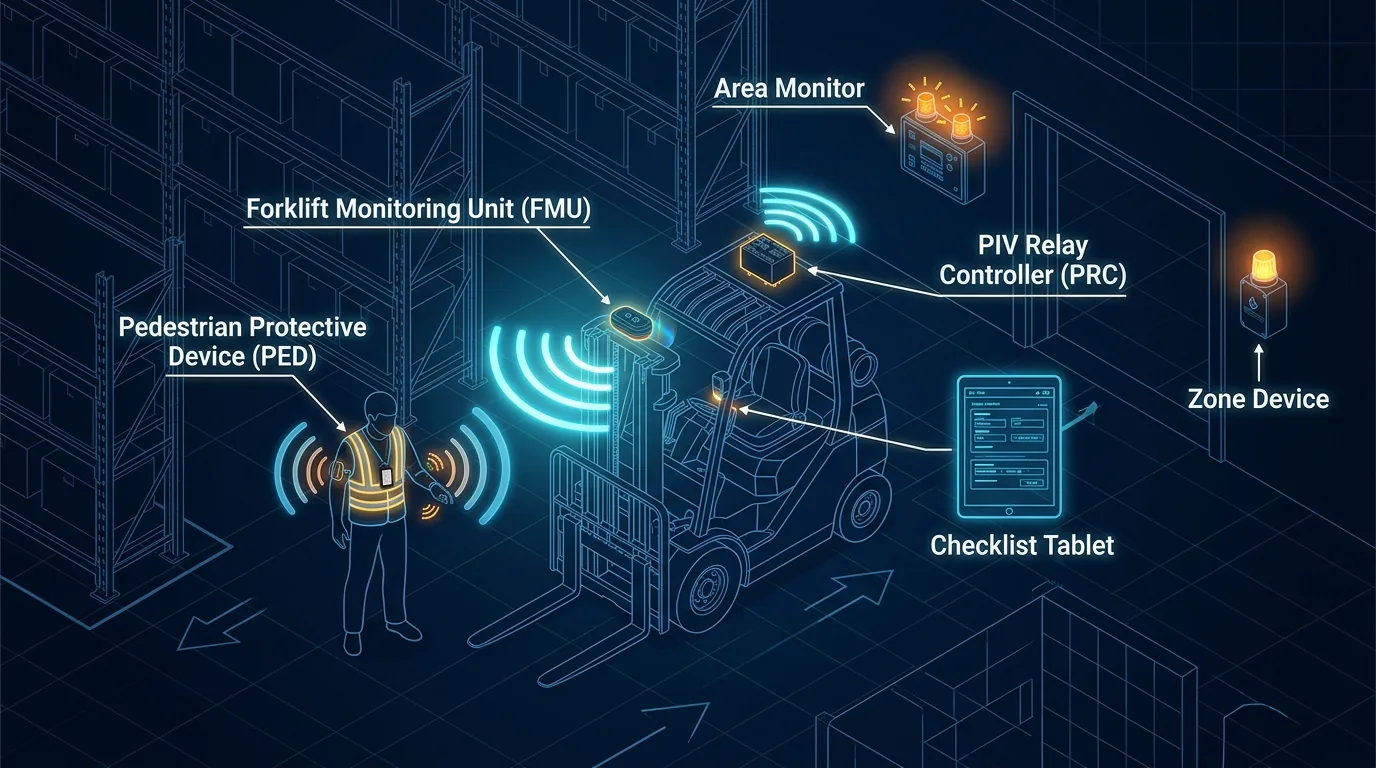
Automatic pedestrian gate locking system A forklift enters a configurable detection zone, causing the pedestrian gate to lock while a pedestrian waits safely outside the vehicle path. CONFIGURABLE DETECTION ZONE Vehicle detected → pedestrian gate secured

Vehicles

Forklifts and AGVs

Access points

Pedestrian gates and doors

Installation

Existing or new gates

Configuration

Site-specific operation

One platform, two operating modes

Automate the access point around your traffic flow

Configure the system to restrict pedestrian movement near active vehicle traffic or to operate a controlled gate or door for an approaching forklift.

Mode 1

Lock pedestrian gates near forklifts

When a forklift enters the configured detection area, the system secures the pedestrian gate to help prevent people from crossing into the vehicle path.

  • ✓Gate remains locked while the forklift is nearby
  • ✓Gate returns to its configured state after the area clears
  • ✓Optional audio and visual alerts reinforce the restriction
Mode 2

Control gates or doors for vehicle access

Detect an approaching forklift or AGV and trigger the configured gate or door action for smoother vehicle movement through controlled areas.

  • ✓Vehicle presence triggers controlled opening or unlocking
  • ✓Operating distance is configured for the application
  • ✓Supports industrial gates, access doors, and dock areas

How it works

From detection to action in four steps

The lock or door controller responds to vehicle presence using a detection zone configured around the real layout and operating process.

Review your facility layout
  1. 1

    Attach the control hardware

    Install the locking or control device on an existing or new pedestrian gate, industrial gate, or door.

  2. 2

    Connect forklift detection

    Connect the access-point controller to a forklift detection sensor positioned for the traffic pattern.

  3. 3

    Configure the trigger distance

    Set the distance from the gate or door at which forklift presence should trigger the configured action.

  4. 4

    Add alerts or motion sensing

    Optionally add audio and visual alerts or use proximity sensing to account for forklift traffic motion.

Designed around your operation

Practical automation without rebuilding the access point

The modular system can be attached to many existing gates with minimal modification, then expanded as facility needs change.

Retrofit capable

Work with existing gates or include the controls in a new installation.

Plug-and-play expansion

Extend the system as traffic patterns or access-control needs evolve.

Configurable behavior

Set detection distance and access-point response for each application.

Layered notification

Add audible and visual alerts alongside automated locking or control.

Common applications

Protect crossings and automate access where traffic converges

Aisle crossings

Restrict pedestrian crossing while nearby vehicle traffic is active.

Production areas

Control access between pedestrian workspaces and material movement paths.

Warehouse zones

Automate gates serving high-traffic storage and picking environments.

Controlled doors

Trigger door operation when a forklift or AGV reaches the configured zone.

Build around your facility

Ready to automate a gate or door?

Tell us about the access point, vehicle traffic, and desired behavior. We’ll help determine the right detection and control approach.

Contact ARINAlert

Cookies and browser storage

Essential cookies operate whether or not you acknowledge the notice. Acknowledgement does not authorize optional tracking.

arin-technologies-session — session cookie
Stores a session identifier to maintain login and session continuity. Session data stays on our server. Its configured lifetime is 120 minutes, refreshed with activity. HttpOnly prevents JavaScript from reading it.
XSRF-TOKEN — security cookie
Helps protect form submissions against forged requests. Its configured lifetime is 120 minutes, refreshed with activity. It is readable by JavaScript for secure form requests.
remember_web_… — persistent sign-in cookie
Created when you select Remember me or use our Google sign-in flow. Its current application default lifetime is 400 days, subject to browser limits and login invalidation. It is HttpOnly. Signing out ends persistent sign-in for this browser.
arinalert_storage_acknowledgement — local storage
Stores the version of the notice you acknowledged. It has no automatic expiry; a changed policy displays the notice again. It is separate for each origin, including different subdomains.
nl_shown — session storage
Remembers that the product-updates popup has appeared for the current tab’s page session, where that popup is available. It clears when that page session ends; browsers may restore it when restoring tabs.

Session and security cookies use the path /, the configured domain arintech.us, and SameSite=lax. They are sent over HTTPS only. The persistent sign-in cookie follows the same configured scope and transport settings.

To remove cookies and stored preferences, open your browser’s privacy settings and clear this site’s cookies and site data. This can sign you out and make the notice and popup appear again. Use the account’s Logout control to sign out without clearing all site data.

We currently do not use analytics or advertising cookies. If optional tracking is introduced, we will provide separate controls to accept, reject, manage, and withdraw permission before those technologies run.